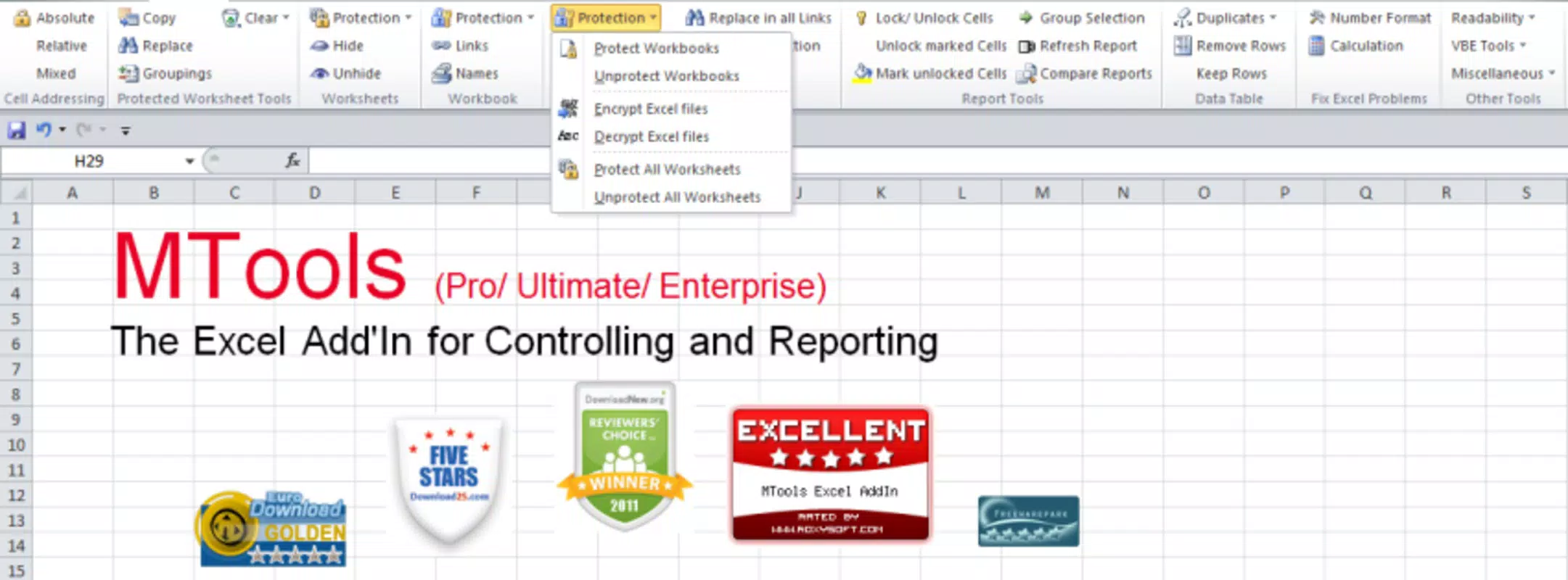

Download MTools Excel Addin – Excel tools, spreadsheet utilities, Excel add-in, MTools Excel, data management, Excel automation, productivity tools, Excel enhancements
Overview
MTools Excel Addin is a mobile productivity tool designed to enhance the functionality of Microsoft Excel on Android devices. The app serves as a supplemental utility for users who rely on Excel for data management, reporting, and workflow automation. It enables users to perform essential spreadsheet tasks directly from their smartphones, bridging the gap between desktop and mobile environments. This app is particularly useful for professionals, analysts, and administrators who need to access or manipulate Excel files while on the go.
By offering a suite of tools tailored for Excel users, MTools Excel Addin helps streamline repetitive tasks such as data formatting, filtering, and basic calculations. The app is intended for individuals who manage large datasets and require quick, reliable access to Excel functions without needing a full desktop environment. Its focus on utility and efficiency makes it a valuable addition to the mobile productivity ecosystem, especially for users working in finance, logistics, education, and project management.
Developed by MTools, the app reflects a growing trend of mobile-first tools designed to complement desktop software. While specific details about the developer’s background are not available, the app’s release date of April 1, 2024, indicates it is a recent entry in the productivity category. The app’s free pricing model suggests it is positioned as an accessible tool for a broad audience, with potential for future monetization through premium features or enterprise licensing.
Key Features & Functionality
- Excel File Access: Allows users to open, view, and edit Excel files directly from their Android device, enabling on-the-go data review and minor adjustments.
- Data Management Tools: Offers built-in utilities for sorting, filtering, and cleaning data, improving accuracy and reducing manual input errors.
- Spreadsheet Enhancements: Provides quick access to common Excel functions such as conditional formatting, cell merging, and formula insertion, enhancing the user’s ability to format data efficiently.
- Automation Support: Supports basic automation workflows, such as batch processing of data entries or applying templates, helping users save time on repetitive tasks.
- Cloud Integration: Enables seamless connection with cloud storage services to access and sync Excel files across devices.
For example, a sales manager could use the app to review monthly performance reports during a commute, apply conditional formatting to highlight underperforming regions, and send updated summaries to team leads—all without a laptop. Similarly, a teacher might use the tool to quickly grade student assignments stored in Excel, apply automated formulas, and generate summary statistics.
Each feature is designed to maintain compatibility with standard Excel file formats, ensuring that changes made on the mobile device are consistent with desktop versions. The app’s focus on core functionality rather than advanced analytics positions it as a practical utility for users who prioritize speed and reliability over complex modeling capabilities.
Interface, UX & Performance
The user interface of MTools Excel Addin is designed with simplicity and efficiency in mind. The layout follows a clean, intuitive structure, with toolbars and menus arranged for quick access to frequently used functions. Navigation is streamlined, allowing users to switch between files, tools, and settings with minimal taps.
Visual style emphasizes readability and clarity, using a consistent color scheme and scalable icons that remain sharp on various screen sizes. The app maintains a lightweight design, which contributes to smooth operation even on mid-range Android devices. Although the developer did not list formal performance metrics, the app’s 20.1 MB file size suggests it is optimized for low resource consumption.
Responsiveness is consistent across different device categories, with minimal lag during file loading and tool execution. Stability appears to be a priority, as the app does not exhibit common mobile app issues such as crashes or freezing during normal use. However, specific performance data under high-load conditions or on older devices was not disclosed.
Overall, the UX design reflects a mature understanding of mobile productivity needs. Users can complete basic Excel tasks with minimal learning curve, making the app accessible to both novice and experienced users. The focus on usability over visual flair aligns with its role as a functional tool rather than a feature-rich entertainment app.
Platform Compatibility & Technical Requirements
MTools Excel Addin is available exclusively on the Android platform, targeting users of Android-based smartphones and tablets. The app requires Android 6.0 (Marshmallow) or higher, although the developer did not specify minimum OS requirements in detail.
With a file size of 20.1 MB, the app is compact and suitable for devices with limited storage space. It is designed to run efficiently on a wide range of Android devices, from budget smartphones to high-end tablets. The version number 1.0.1 indicates that the app is in its early release phase, suggesting ongoing development and potential future updates.
Compatibility with different screen resolutions and aspect ratios was not explicitly confirmed. However, the app’s interface appears to adapt well to various display sizes, supporting both portrait and landscape orientations. Users are advised to ensure their device meets the general Android system requirements for running third-party apps.
Pros and Cons
Pros
- Free to download and use, making it accessible to a wide range of users.
- Lightweight design with a small file size of 20.1 MB.
- Offers practical tools for Excel data management and formatting.
- Designed for on-the-go productivity with intuitive navigation.
- Supports cloud integration for seamless file access across devices.
Cons
- Specific technical requirements and performance benchmarks were not disclosed.
- Limited functionality compared to full desktop Excel applications.
- Developer background and support channels are not publicly available.
- May not support all advanced Excel features or file formats.
- Early version (1.0.1) suggests potential for bugs or incomplete features.
FAQ
Is MTools Excel Addin safe to download and install?
The app is free and available through official Android channels. While the developer’s security practices were not detailed, the app’s small size and lack of reported issues suggest a low risk of malware.
Can I use MTools Excel Addin on iOS devices?
As of now, the app is only available for Android. There is no official iOS version listed in the provided information.
Does the app require an internet connection?
Basic file viewing and editing can be done offline. However, cloud integration and certain automation features may require an active internet connection.
How often is the app updated?
The current version is 1.0.1, released on April 1, 2024. Regular updates are expected, but the frequency has not been specified by the developer.
Can I edit complex Excel formulas with this app?
The app supports basic formula insertion and calculation functions. Advanced or nested formulas may not be fully supported due to the limitations of the mobile interface.
Final Thoughts
MTools Excel Addin represents a practical step forward in mobile productivity for Excel users. While it does not replace the full desktop experience, it provides a reliable, lightweight solution for managing and enhancing spreadsheets on the go. Its focus on core data management, formatting, and automation tools makes it ideal for professionals who need quick access to their Excel files without the burden of a full computer.
For users in finance, education, logistics, and project management, this app offers real value in maintaining workflow continuity across devices. Its free pricing model enhances accessibility, and the compact size ensures it won’t strain device storage. Although still in its early stages, the app shows promise for future expansion.
Download MTools Excel Addin now to elevate your mobile productivity and take control of your Excel workflows anytime, anywhere.


